Access the Downtimes application by selecting on Downtimes in the lower navigation menu of OPERATE. This application enables Operators to view and contextualize downtimes for their equipment. This capability allows for the visibility of valuable insights into equipment performance and identify areas for improvement to maximize production uptime.
Viewing Downtimes
View a list of equipment stops for the selected time range when selecting an equipment. Fault information is presented with start time, end time ,fault code and fault code description.
Note that active Downtimes (stops in progress that have started, but not ended) are displayed in red. The Duration and End Time fields for active Downtimes are updated every 10-20 seconds, to ensure you always have a real-time view of your stops.
.png)
Select a different machine in your line using the Machine navigation menu.
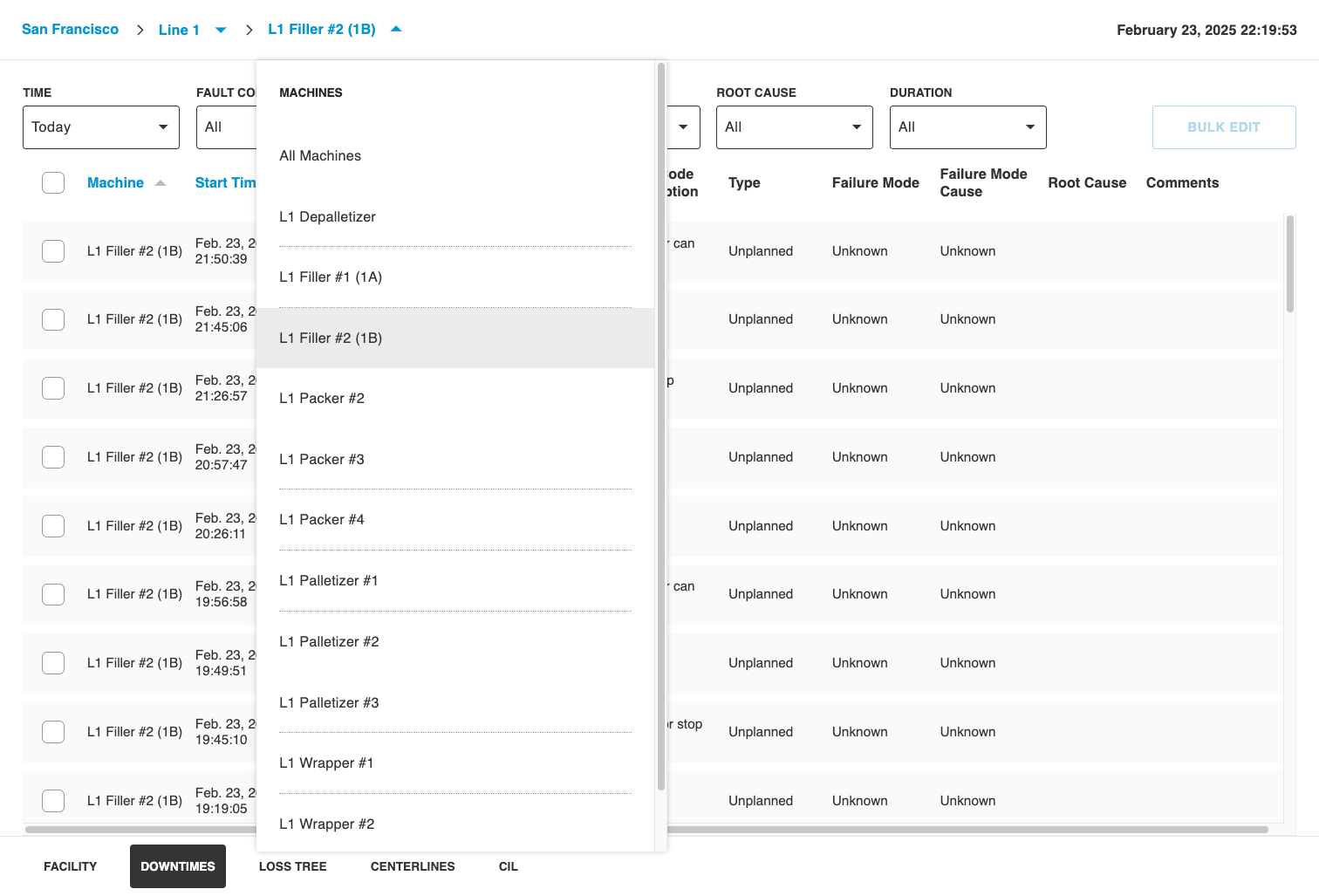
Select from a set of preset time ranges using the Time filter. View shift-based information for the current and past shifts, and also select other larger time ranges. Please note that the time range of Today represents the current production day, starting from the first shift of the current production day.
.png)
Filter based on the Duration of the Downtime, and select from Duration ranges of more than 1 minute to more than 12 hours..png)
There are several additional top-level filters including Fault Code, Type, Failure Mode, and Root Cause, that you can use to refine the list of Downtimes.