Enablement
In order to be able to use SMS notifications you must have enabled in your environment, the following feature flags:
Alerting
Alerts via SMS

Configuration
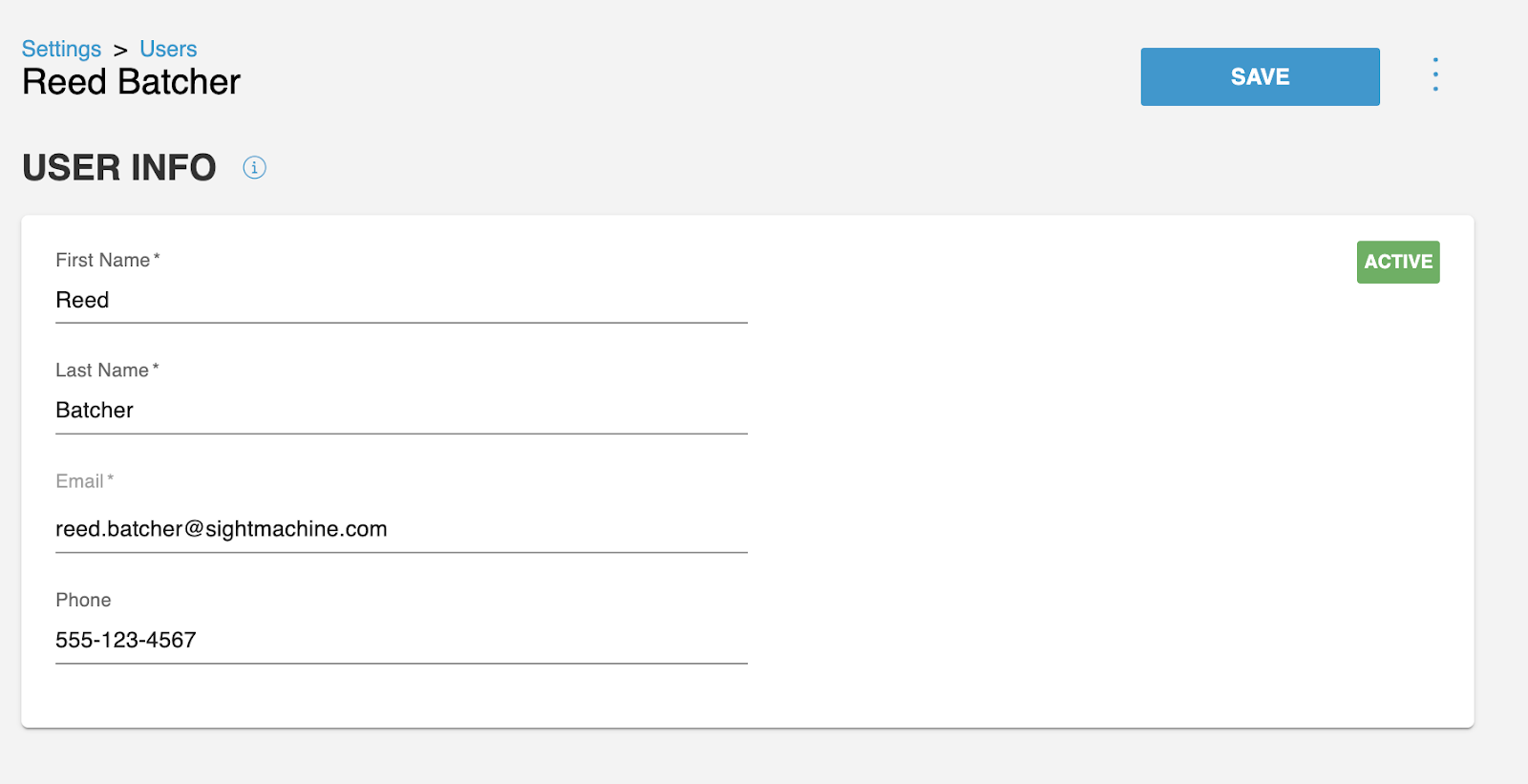
1- Add Phone Number
Users are required to add their phone number on their profile page to be able to become a recipient for SMS alerts
Phone numbers have to be formatted as XXX-XXX-XXXX
⚠️Do not include international code
2- SMS Recipients
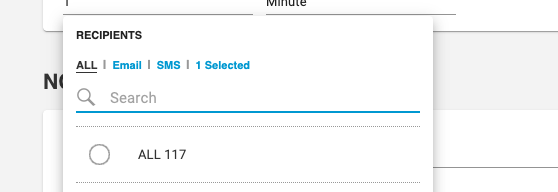
For any existing or new alert, users that have a phone number can be assigned as recipients using SMS.
To make filtering easier, recipients list include a filter to be able to see all available SMS recipients.
3- Add Recipient to Alert
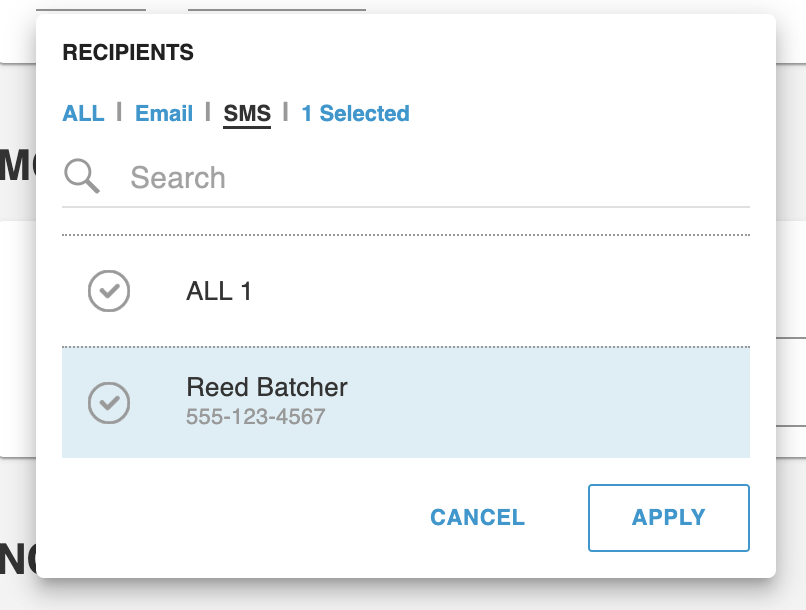
Finally, you can select the users you want to add as recipients for the alert
SMS recipients will have their phone number listed underneath their name, as opposed to email recipients that will have their email instead.
4- Anatomy of the Alert
Title indicating that it’s a Sight Machine alert
The name of the alert
A short prompt indicating urgency
Link to alert details
FAQ
Which alerts are supported?
You can use SMS in all types of alerts (Pipeline Source Monitoring, SPC, Data Latency and KPI)
Which phone numbers are currently supported to receive SMS notifications?
Only US and Canada phone numbers
Are we validating phone numbers?
No, at the moment we are just validating the format but not if the phone number actually exists.
Can we customize the alert SMS message?
No, the message content is the same and cannot be modified per customer and/or per user
Can I configure both email and SMS notifications for the same person?
Yes. The email and SMS notifications must be configured separately.
Are there any limitations?
SMS messages are limited to 160 characters
Where are notifications coming from?
All SMS will come from Sight Machines’s phone number (877) 589-0703