Overview of Changes
| Component | Notes |
|---|---|
| User Security | You can now set the session duration for users. See User Security: Session Duration. |
| Cookbooks | You can easily add or remove assets from Cookbooks. See Cookbooks: Edit Asset. |
| Asset Picker | You can set the default attribute order for the Asset Picker. See Asset Picker: Default Attribute Order. |
User Security: Session Duration
You can now define how long a user should remain signed in during each session.
To modify the setting, go to Settings > Users > Security.
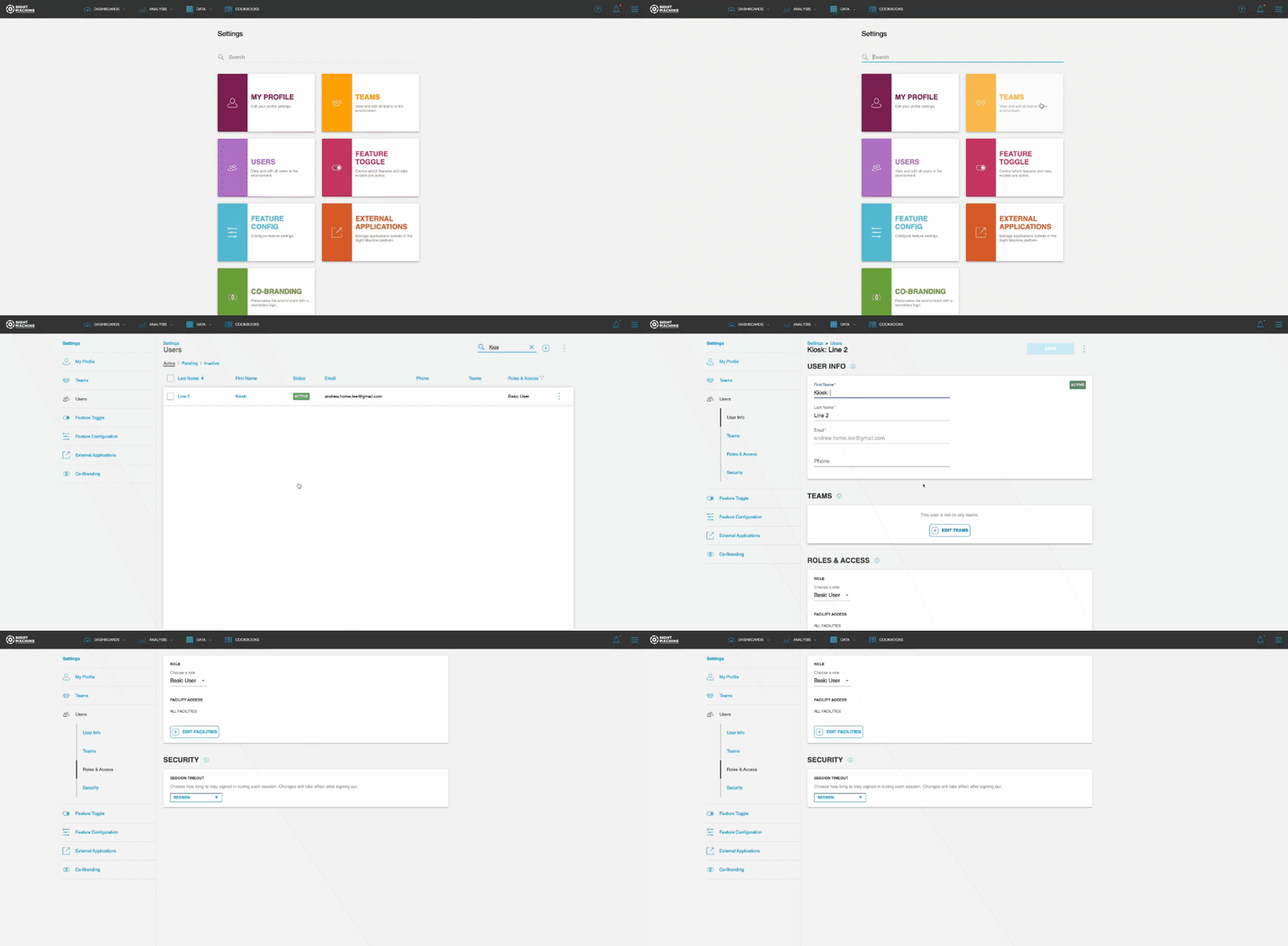
By default, the user session timeout is set to Session, which keeps the user signed in indefinitely. Other options are also available to keep users signed in based on the selected duration of time.
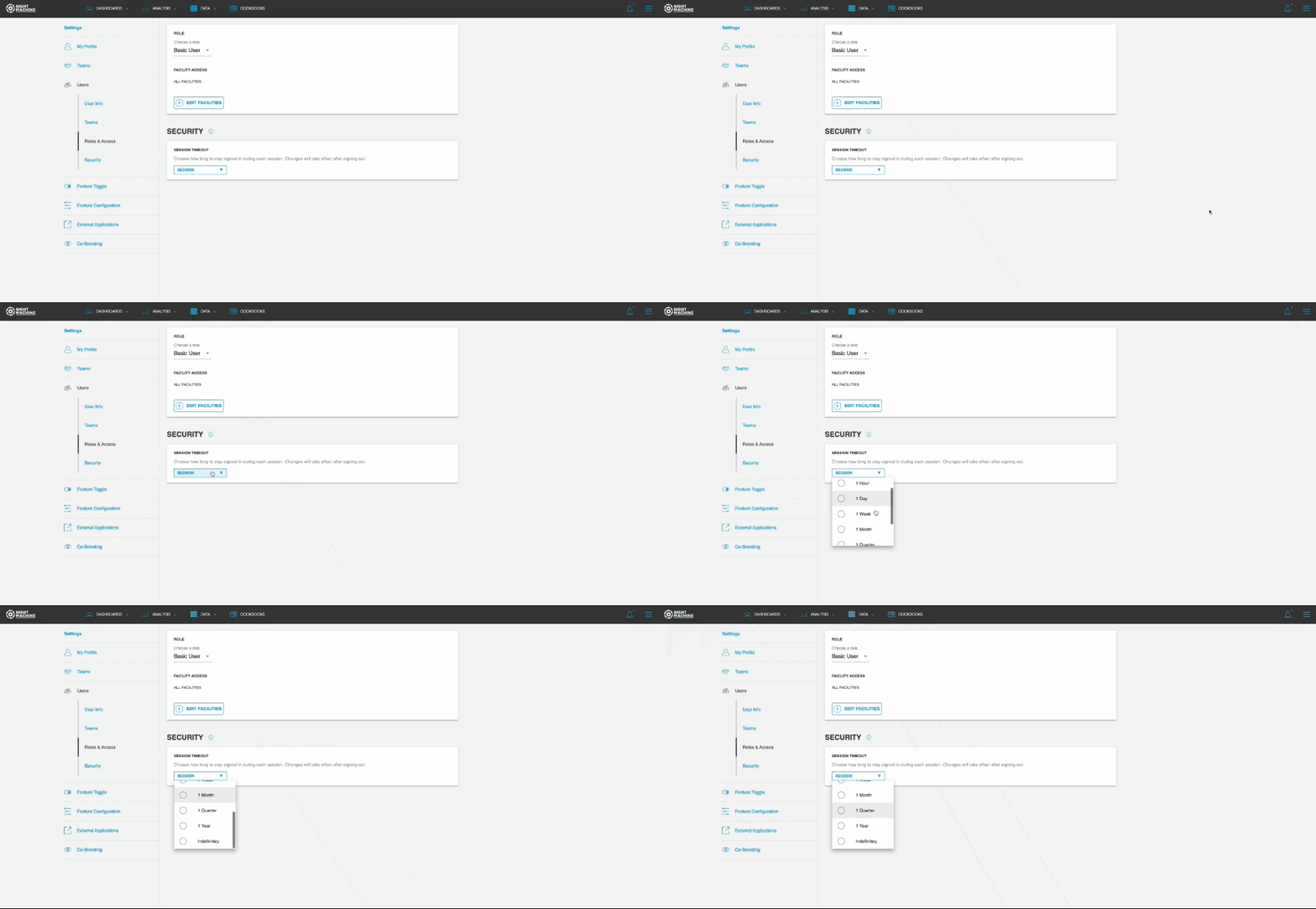
Notes:
- Changes take effect after the user signs out.
- The session timeout is not currently available for configuration during the new user creation process.
Cookbooks: Edit Assets
You can now edit assets of an existing Cookbook. You can access the Edit Assets feature through each Cookbook's Options menu.
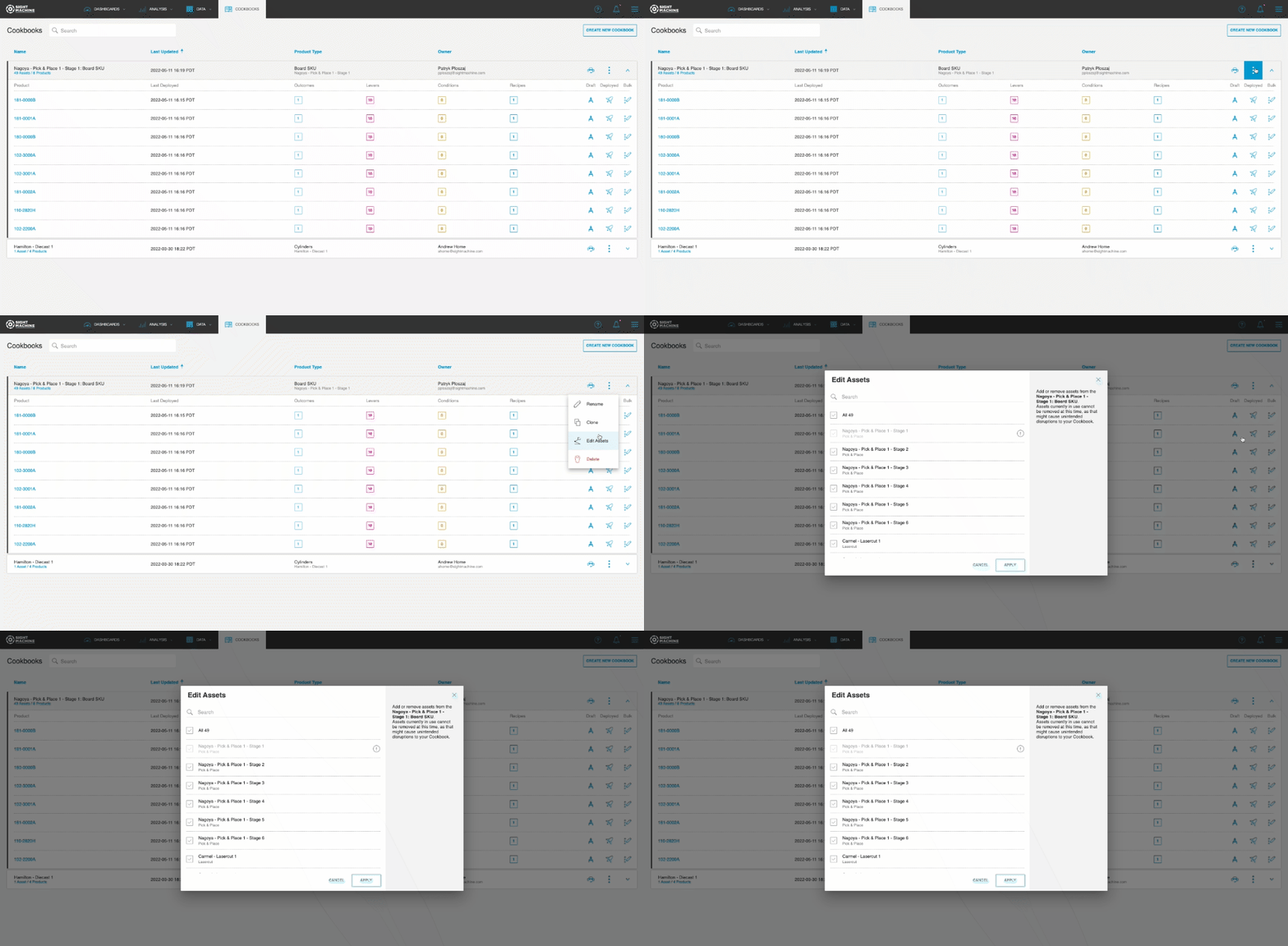
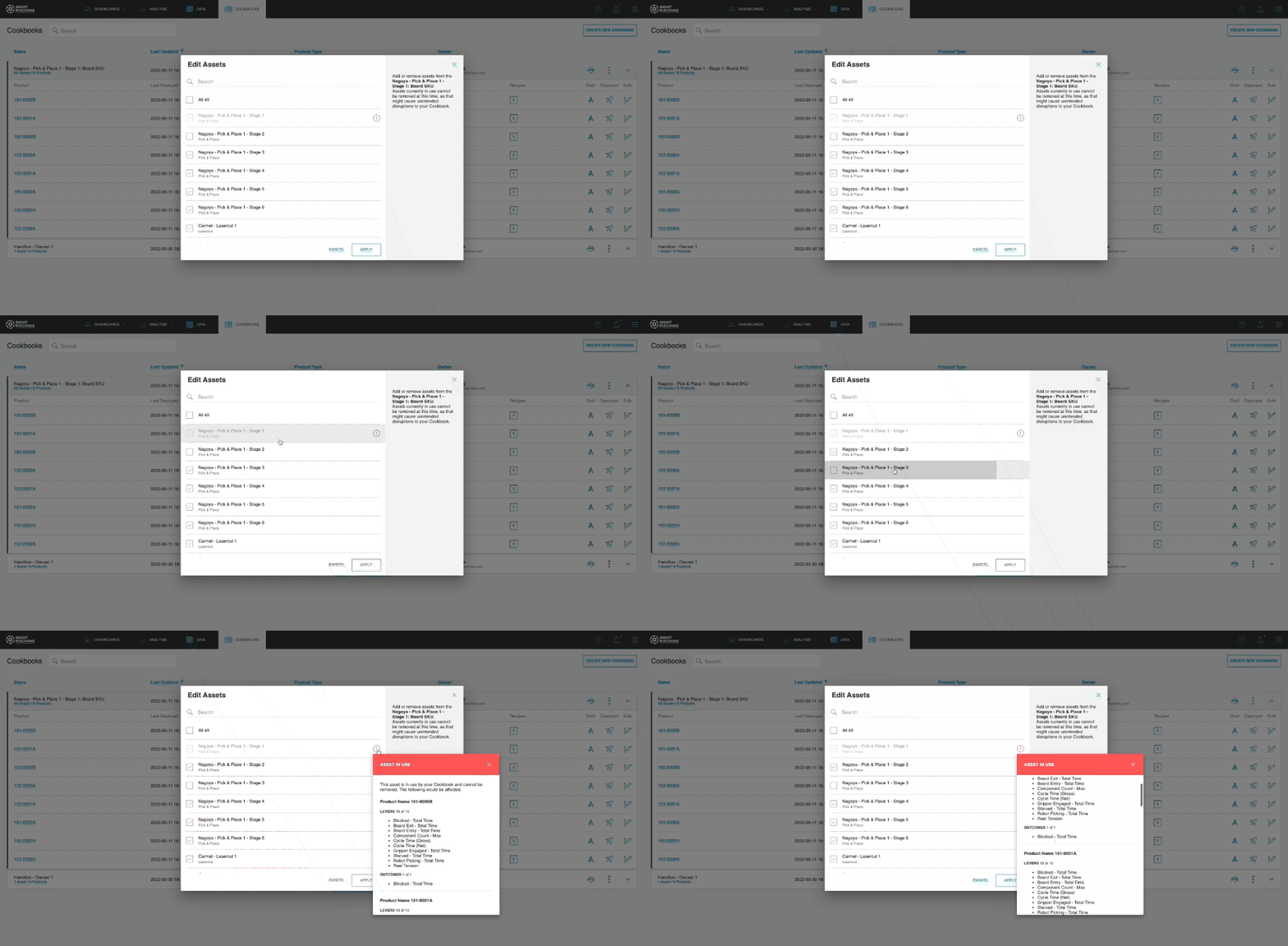
You can add new assets to an existing Cookbook, although you can only remove those assets that are not currently in use by a Cookbook (i.e., assets with no associated Outcomes, Levers, etc.).
Asset Picker: Default Attribute Order
You may now set the default order of the Asset Picker attributes.
To configure the order, set the Sequence property as part of the Map Machines operator. For further details, refer to the Map Machines operator documentation.
Note: Users can still individually override the default attribute order.